Genially Viewer: Present Interactive Creations from Android Devices
Genially Viewer, from Genially, is a mobile companion that lets users view and present interactive creations produced on the Genially web platform. It focuses on playback of presentations, infographics, and gamified materials adapted for mobile and tablet displays. Core highlights include access to your creations, a presentation-focused viewing environment, and synchronization with the online account for on-the-go retrieval. The app suits teachers, students, and business presenters who need dependable mobile playback of interactive learning or training materials.
How well does it preserve interactive features on Android?
The app preserves interactive elements that often fail in a regular browser by supporting buttons, hotspots, embedded media, and animations inside creations. Official integration ensures compatibility with the latest Genially content, which reduces feature loss when a slide uses layered animation or media playback. That behavior matters for learners because preserved interactivity keeps branching scenarios, reveal actions, and embedded videos functional during study sessions.
Can teachers run live presentations from a phone without awkward controls?
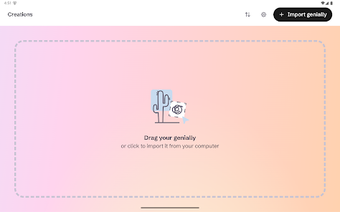
Designed for presentation delivery, the app includes a mobile-optimized full-screen mode and touch navigation tuned for interactive infographics and maps. It supports casting from an Android device to a larger screen and offers direct sharing options through mobile communication apps. Those capabilities let an instructor move through an activity and hand control to learners without switching back to a desktop computer.
Is it suitable for self-learners and remote students?
Targeted audiences include educators, students, and business professionals, so the interface assumes a prepared creator on the web. The app can show cached pages that were previously loaded on the device, which helps when connectivity is intermittent. Device and prior loading determine how much content stays available offline, so self-directed students should verify cached slides before studying away from reliable networks.
How does content management and editing fit into a classroom workflow?
The app focuses on presentation and retrieval rather than content creation: it offers organization and filtering for quick retrieval during sessions but does not provide in-app editing. Because editing and author-level management occur on the web platform, teachers must prepare or adjust materials in the browser before syncing them to the device. That separation keeps the mobile experience streamlined for playback while leaving authoring tools in the desktop environment.
A focused playback tool that suits prepared lessons, with one practical caveat
The app is a practical option for teachers and learners who need dependable mobile playback of interactive lessons; it requires a Genially account and depends on internet synchronization, so preload important creations on a stable network before presenting. As a targeted playback utility, it supports classroom demonstrations and review sessions for anyone who prepares content in advance and needs portable access to interactive instruction.
Pros
Preserves animations, buttons, hotspots, and embedded media on Android
Full-screen, touch-optimized presentation mode for mobile and tablet use
Organization and filtering let presenters find creations quickly
Cons
No in-app editing; creations must be edited on the web platform
Requires a Genially account to access your creations
Primarily online; only previously loaded content may remain cached
Laws concerning the use of this software vary from country to country. We do not encourage or condone the use of this program if it is in violation of these laws. Softonic may receive a referral fee if you click or buy any of the products featured here.